- Topic ID: id_11039092
- Version: 2.0
- Date: Jan 30, 2019 9:42:49 PM
Characterization Software Check
1 Objective
-
Verify that the Characterization Software is functional.
-
FRUs Involved - MOD / CD containing the most recent “System State”.
-
Perform Flash Download if necessary.
2 Procedure Summary
Before beginning this procedure, please read the safety information in Equipment Service - Gantry, located in the Safety tab of this publication.
-
Select SERVICE DESKTOP.
-
Select UTILITIES.
-
Select INSTALL.
-
Select FLASH DOWNLOAD TOOL.
-
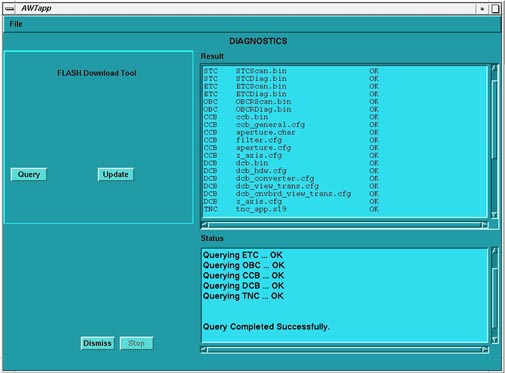
Select QUERY.
-
Select UPDATE if necessary. See Figure 1.
Figure 1. Flash Download Tool