- Topic ID: task_arj_bmx_yhb
- Version: 4.0
- Date: Nov 8, 2021 5:12:28 AM
Z8G4 Memory Replacement
Prerequisites
Overview
This procedure shall be followed when replacing the Memory DIMM Modules in the a Z8G4 computer.
Procedure
- Select one of the following methods to Power OFF the Operator Console:
- If Applications are up, click on the Shut Down button and select Shutdown.
The Operator Console monitor will display a 'Power Down' message when it is acceptable to power OFF the Operator Console.
- If Applications are down, open a Unix Shell. Type: halt.
- If Applications are up, click on the Shut Down button and select Shutdown.
- Power OFF the console at the front panel switch, and apply LOTO.
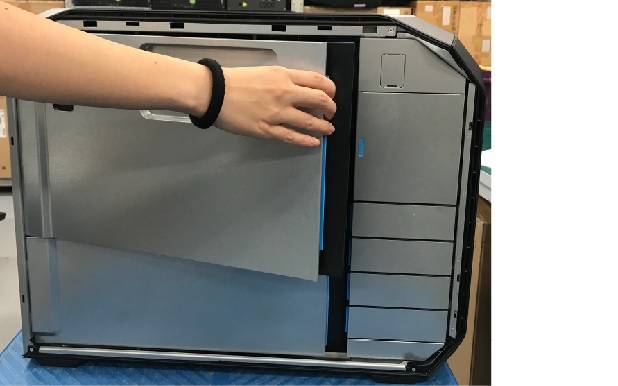
- Open and remove the module small side cover.
Figure 1. Remove module small side cover
- Release two clamps both side of memory, and carefully pull the memory out of the slot.
- Install the new Z8G4 memory, align the memory keyway with the slot key, and firmly seat the memory in the slot.
- Reinstall all removed components, and reconnect any cables that have been disconnected.
- Remove LOTO from console.
1 Finalization
Procedure
- Reinstall module small side cover.
- Power ON the console and confirm the host computer does not display POST (Power On Self Test) errors.
- Refer to System Scanning Test to confirm proper operation.