- Topic ID: id_16157853
- Version: 4.0
- Date: Jan 20, 2020 8:32:31 PM
Touch Sensor Positioning
Prerequisites
Overview
This procedure is for the Global PET/CT Table, with fixed position IMS and the GT1700V Table.
Procedure
- Inspect the rear touch sensor for position as follows:
- Remove the following Table covers:
-
Top cover (Left/Right)
-
Rear Top Cover
-
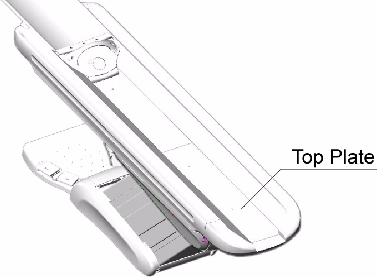
- Remove the top plate.
Figure 1. Table Top Cover
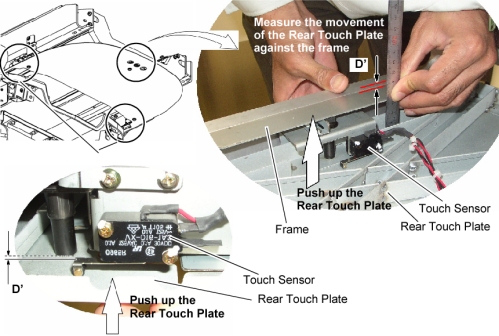
- Push up the rear touch plate to activate the touch sensor, and
measure the operating distance (D’) shown in illustration below,
then verify that the operating distance (D’) is 1mm ~ 2mm.
Figure 2. Rear Touch Sensor
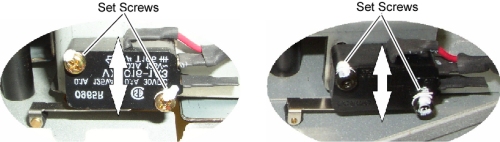
- If the operating distance (D’) is out of tolerance, adjust
the sensor position by two set screws (Torque: 0.56Nm / 0.41ft.-lbs).
Figure 3. Set Screws of Rear Touch Sensor
- Check other rear touch sensors as in step Step 1.c and step Step 1.d.
- Remove the following Table covers:
- Re-intall the Table covers.
Finalization
- Power up the Table from the service Switch Panel in Gantry.
- Move the cradle In/Out repeatedly, and raise and lower the Table repeatedly to verify that the Table movement is operating normally.