- Topic ID: id_15460319
- Version: 5.0
- Date: Jan 20, 2020 8:35:38 PM
Rotor Control Tool with LB tube for 17BW50.xC
Prerequisites
Overview
Objective: The LB tube rotor control tool can be used to change the rotor status from Stop to High Speed or from High Speed to Stop. It also displays the rotor status when the system detects that the rotor status is changing.
Procedure
- The tool can be run by clicking CSD->Diagnostics -> LB Tube Rotor Control.
- Class M SSA key or other USB key (must be FAT32 formatted) is
required. Launch the LB Tube Rotor Control tool.
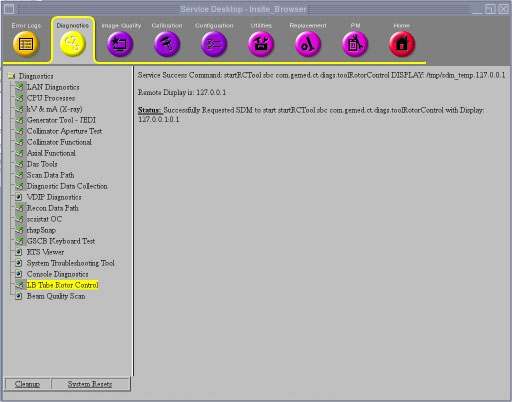
- Choose Rotor Status radio button and
select Accept to display the rotor status and
tube temperature. The information will be refreshed when Accept is selected again.
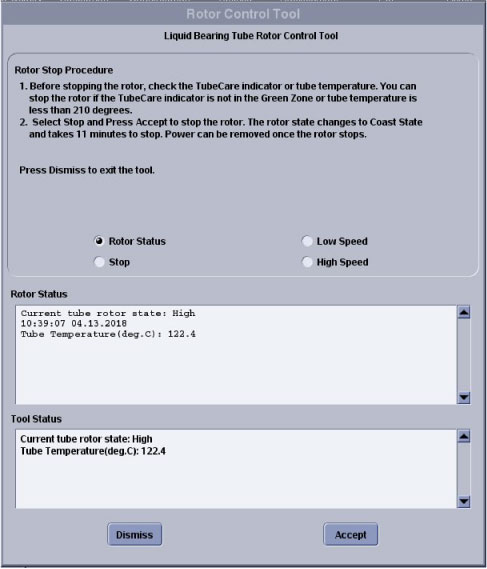
- Choose Low Speed radio button and select Accept to decelerate the rotor when running at High Speed.
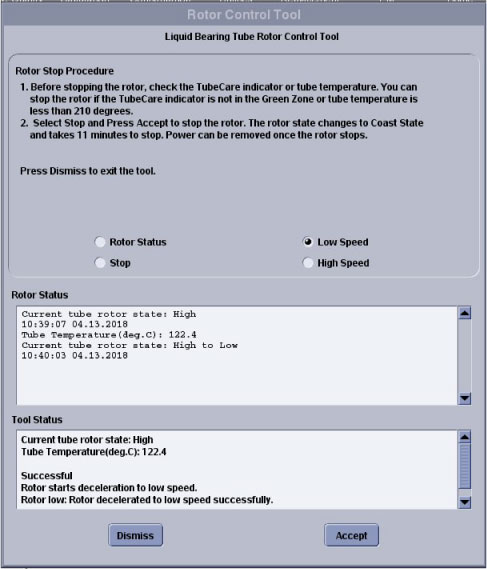
If the rotor it already in Low Speed, Coasting or Stop it will stay in its current state.
If the Scan Acquisition hardware is in use then the rotor cannot move to Low Speed since the scanner resource is busy.
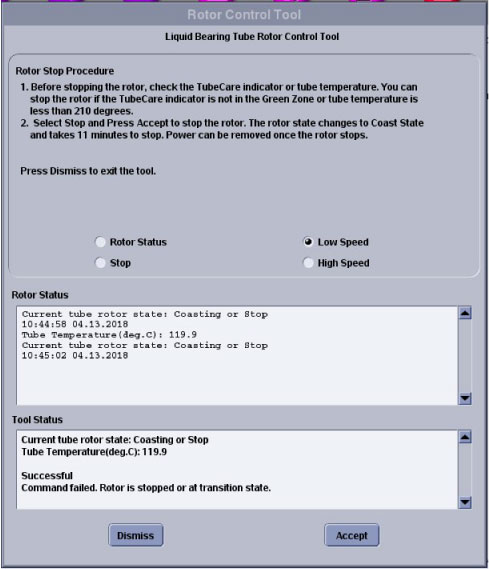
- Choose High Speed radio button and Accept to bring the rotor High Speed from Stop, Coasting
or Low Speed
If the Scan Acquisition hardware is in use then the rotor can change to High Speed.
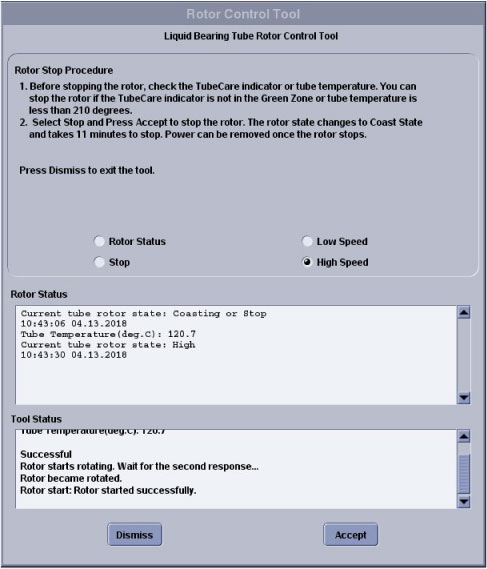
- Choose Stop radio button and Accept to stop the rotor when it is running in High Speed
or Low Speed
If the Scan Acquisition hardware is in use then the rotor cannot be stopped since the scanner resource is busy.
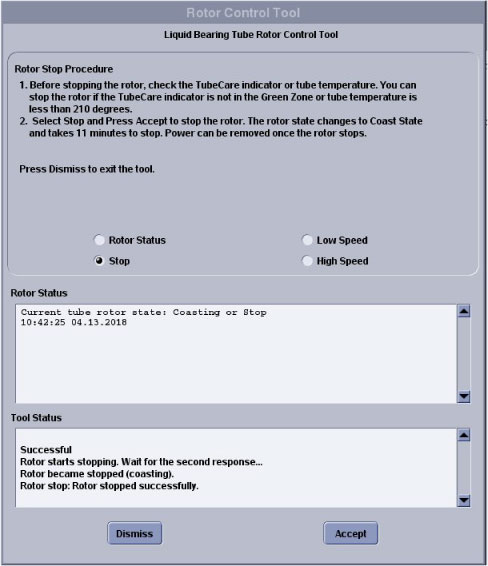
If Tube temperature is not high (TubeCare indicator in Blue or yellow Zone), Rotor will start coasting and stop.
When Coast starts, Rotor will stop after approximately 11 minutes.
If tube temperature is high (Tube care indicator in Green Zone), there is tube failure risk due to hot landing if continue to stop the rotor. An attention will pop up to select Continue or Cancel. Please select Cancel to wait for TubeCare indicator in Blue or yellow Zone.
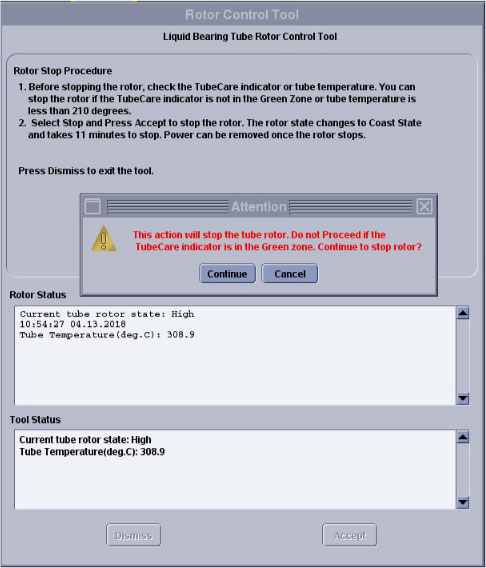
- Real time rotor status will be shown in rotor status message bar.
Finalization
No finalization steps.