- Topic ID: id_15460863
- Version: 4.0
- Date: Jan 20, 2020 8:35:19 PM
Rear Touch Sensor Plate Replacement
Prerequisites
Overview
Procedure
- Raise the Table to maximum height.
- Move the Cradle to IN limit position.
- Remove power from Table by turning off 120VAC, Axial Drive and HVDC switches on Service Switch Panel.
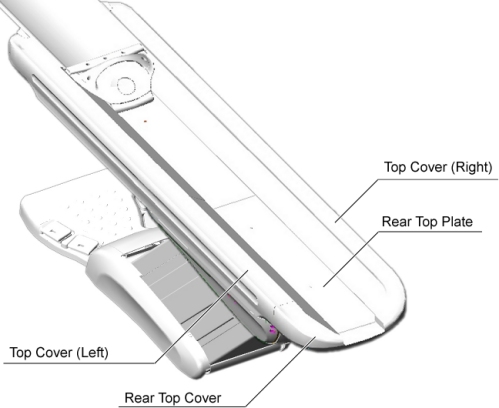
- Remove the following Table covers:
-
Top Cover (Left/Right)
-
Rear Top Cover
-
Rear Top Plate (for VT2000/VT2000X only)
Figure 1. Table Cover Removal
-
- For VT2000, VT2000X and Global PET/CT Table:
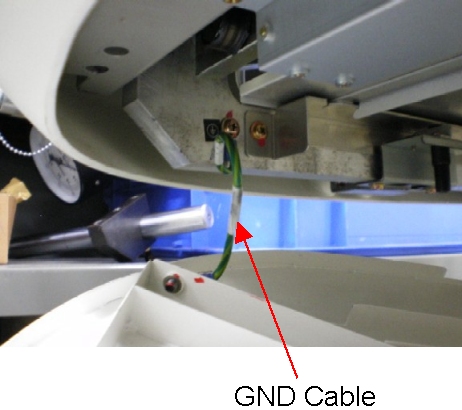
- Disconnect the GND cable from the rear touch plate.
Figure 2. GND Cable of Rear Touch Plate
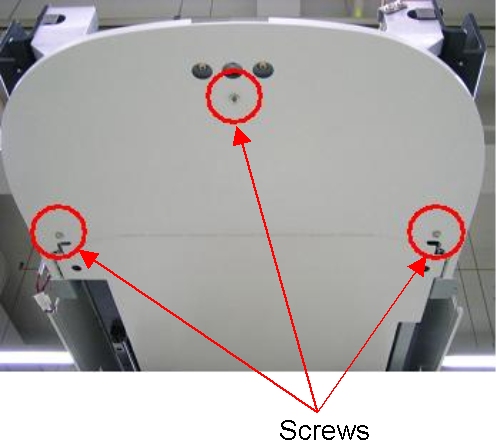
- Remove 3 screws holding the rear touch plate to the Table frame,
and remove the touch plate.
Figure 3. Rear Touch Plate - VT2000, VT2000X and Global PET/CT Table
- Attach the rear touch plate to the Table, and connect the GND cable to new rear touch plate, then hand tighten three (3) screws.
- Push up the rear touch plate several times, and verify that the touch sensor is activated.
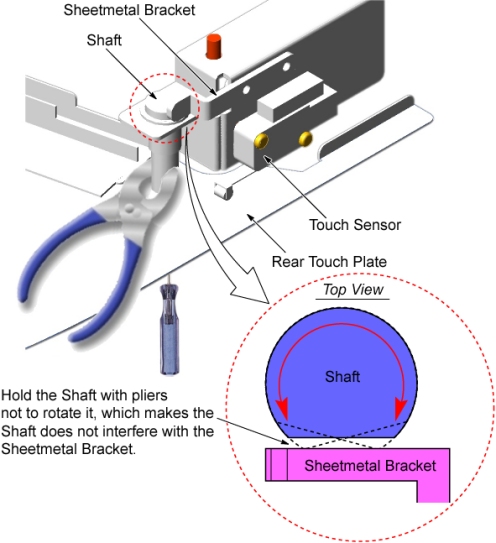
- Hold the shaft with pliers to avoid rotating it, and tighten
the screw.
Figure 4. Rear Touch Plate Installation
- Tighten two other screws as is step Step 5.d and step Step 5.e.
- Push up the rear touch plate, and verify that each touch sensor
is activated.
If not, adjust the position of rear touch sensor according to Touch Sensor Positioning.
- Disconnect the GND cable from the rear touch plate.
- For VT1700:
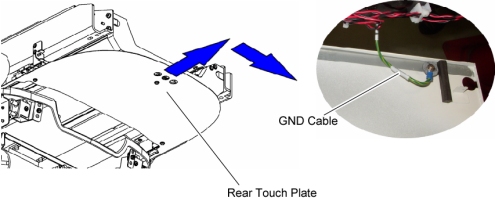
- Slide the rear touch plate away from the Gantry, to release the inside hook of the plate, and remove the touch plate.
- Disconnect the GND cable from the rear touch plate.
Figure 5. Rear Touch Plate Removal
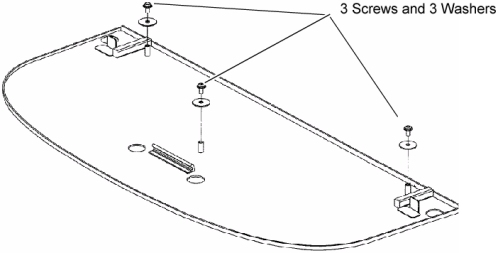
- Remove 3 screws and washers from the removed rear touch plate,
and transfer them to new rear touch plate.
Figure 6. New Rear Touch Plate
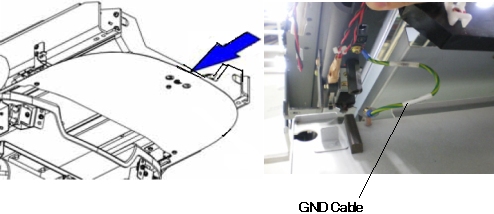
- Connect the GND cable to new rear touch plate, and install it
to the Table.
Figure 7. GND Cable of Rear Touch Plate
- Push up the rear touch plate, and verify that each touch sensor
is activated.
If not, adjust the position of rear touch sensor according to Touch Sensor Positioning.
Finalization
- Re-install the Table covers.
- Power up the Table from the service Switch Panel in Gantry.
- Push up the rear touch plate, and verify that each touch sensor is activated.