- Topic ID: id_18480135
- Version: 3.0
- Date: Apr 22, 2019 12:55:21 AM
Equipment Service - Console
Prerequisites
Overview
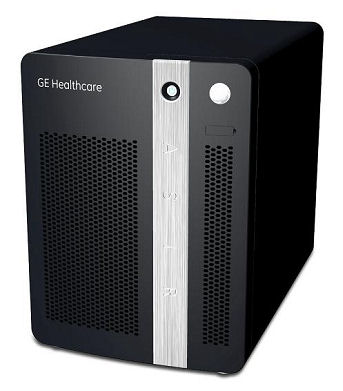
This guide discusses Console Component Lifting. It describes and illustrates steps to aid in the removal and installation of the computer components in the RIO and NIO64 Series Operator Console. By following these guidelines, the risk for injury from lifting heavy computer components will be minimized and allow for a single engineer to safely complete these tasks.
Figure 1. RIO and NIO64 Series Operator Console
1 Console preparation
Procedure
- Only one of the RIO and NIO64 Series console components that
are classified as Field Replaceable Units (FRUs) need special attention
due to the associated weight (64 lbs, 29 kg). The following illustrations
show those components labeled.
Figure 2. Heavy Console Components (Z800 / Z820)
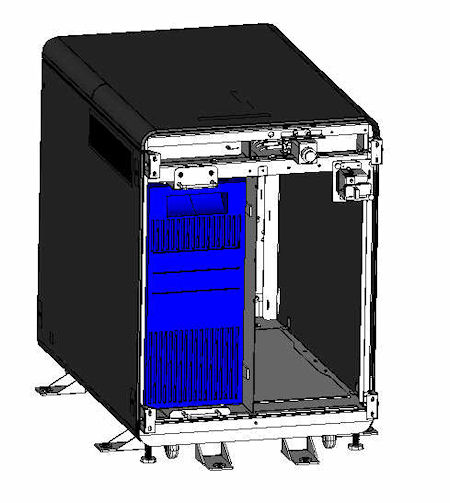
- Remove the operator console front cover as covered in the FRU Replacement Procedures. Unobstructed access should now be available to the components.
2 Lift Assist Recommendations
Procedure
- In the event you believe you are not capable or allowed to lift
any of the identified heavy computer components in Figure 2, then request
that a second person assist in the component removal and installation,
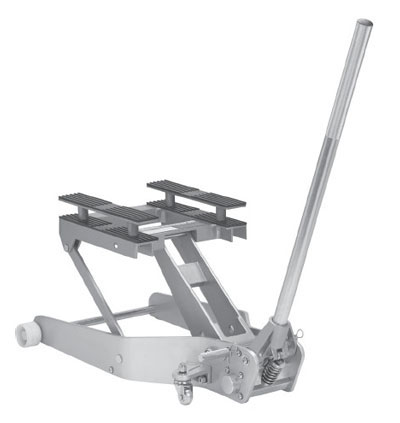
or use a lift assist tool. See examples of two (2) lift assist tools
in the illustration below:
Figure 3. Genie Load Lift
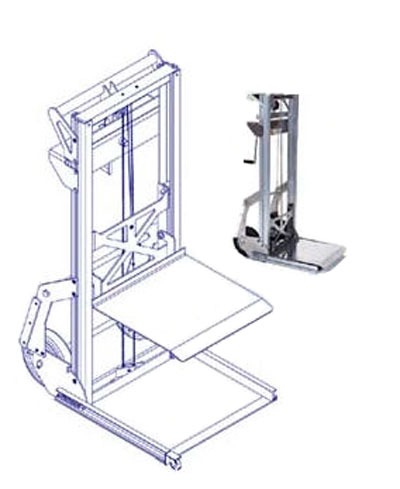
Figure 4. Hydraulic Jack Lift
- Follow prescribed component replacement procedures located in
the Parts Replacement chapter of this manual
for disconnecting mounting hardware and cables attached to the component.note:
The Host Computer is removed from the front of the console. Access to the rear of the console is only necessary to disconnect cabling from the component.
- Pull the component forward from the console using the handles mounted on the component chassis. Do this in a kneeling position to minimize back strain, utilizing any and all personal protection equipment (PPE). Due to ergonomic concerns, it is not advisable to do this in a standing position. Pull the component forward approximately 4-6 inches (15 cm).
- Align the lift assist tool so the tool lifting surface is centered in front and under the component. Adjust the height of the lift assist tool so it just touches the underside of the component.
- Pull the component out away from the console until it sits evenly on the lift assist tool. Move the lift assist away from the console.
- Lower the lift assist tool next to the replacement component and transfer the old component with the replacement.
- Repeat this process in reverse to install the replacement component.
3 Finalization
No finalization steps.