- Topic ID: id_16157957
- Version: 4.0
- Date: Jan 20, 2020 8:35:07 PM
DVD RAM Cartridge Removal
Prerequisites
Overview
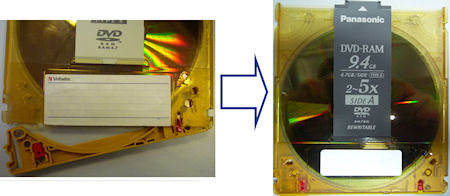
This procedure explains how to remove the DVD RAM cartridge for option key DVD installation to new PMT (5270510-10).
1 In case of Maxell
Procedure
- Remove the 2 pins as shown in the following picture.
Figure 1. Locking Pins
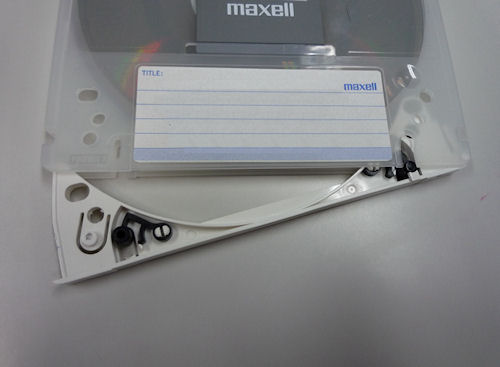
- Put the stick (like ball point pen) and pull out the cartridge
flap.
Figure 2. Cartridge Flap
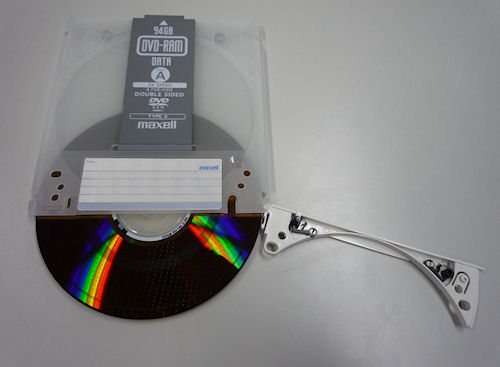
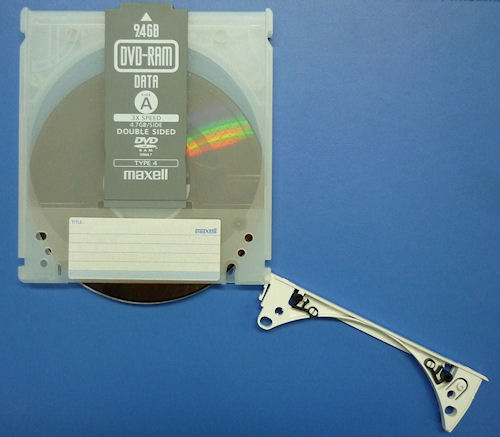
- Remove the DVD media.
Figure 3. DVD Media
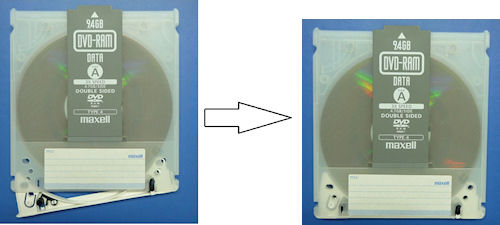
- Insert the media into the original cartridge for identification
after usage of option installation.
Figure 4. Media Inserting
- Close and lock the flap, keep the media in a cabinet.
Figure 5. Flap Closing
2 In case of Panasonic or Verbatim
Procedure
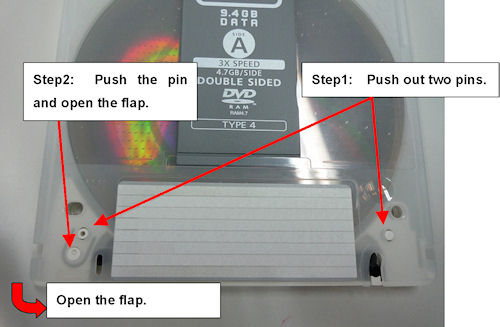
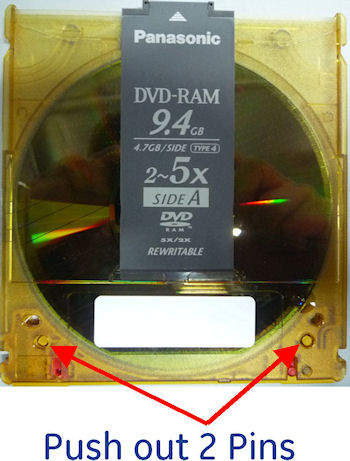
- Remove the 2 pins as shown in the following picture.
Figure 6. Locking Pins
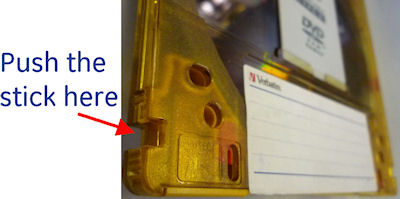
- Push the stick at right side of DVD RAM (with A side upwards)
and swing out the cartridge flap.
Figure 7. Stick at the Right Side
- Remove the DVD media.
Figure 8. DVD Media
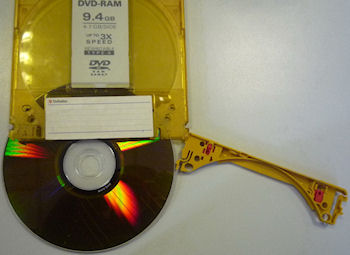
- Insert the media into the original cartridge for identification after usage of option installation.
- Close and lock the flap.
Figure 9. Flap Closing