- Topic ID: id_17423094
- Version: 3.0
- Date: Apr 22, 2019 12:56:15 AM
Z alignment Cal. Troubleshooting
1 Overview
This document describes the information about Z alignment cal. Troubleshooting. 15HW13.x or later software introduces Z alignment cal. feature for better image quality for Merc40 detector. The specification of each module distance is expanded from 32um/40um to 56um for Module #8 - #19. Outer module (#1 ~ #7 and #20 ~ #27) specification is same as current one (78um).
2 Troubleshooting
2.1 Calibration
Z alignment cal. vector is created by Mini check of FRDM Wizard. The calculation starts after closure of alignment plot window. The tool uses matlab and 10~20sec. takes for completion of calculation. This cal. vector is used at image reconstruction as same as other cal. vectors in Scan Analysis. Scan is aborted if Z alignment cal. vector does not exist.
2.2 Scan Analysis
It is not able to view the cal. vector at Scan analysis, so the cal. vector attached to Scan File is unable to see. Two csv format files are created for latest cal. vector instead to view the cal. vector.
file name:
-
/usr/g/service/state/Z_Alignment_Cal_Vector.csv
-
/usr/g/service/state/Z_Alignment_Cal_Vector_unclipped.csv
There are two csv files, one is standard cal. vector as same as which is used by reconstruction task, and another one is “unclipped” vector. Maximum allowable error of the cal. is 60um, then the vector is clipped with 60um. The “unclipped” csv shows exact drift of each detector module for troubleshooting.
The cal. vector saved at csv format remains only latest ones (clipped and unclipped). And it’s target of System state. Old csv files are overwritten by Mini check or Restore state.
2.3 csv format and bad vector
There are two vector data in Z_Alignment_Cal_Vector.csv. One for A side (left row) another one is for B side (right row), and the unit is mm. If any objects is in scan window during Mini check, the cal. vector will get abnormal data and images will be bad (Water image get black with WL0) with using the bad cal. vector. In this case, Z_Alignment_Cal_Vector.csv will only contain NaN. The following is example of bad image.
Figure 1. Example of bad image created by bad z alignment cal. vector.
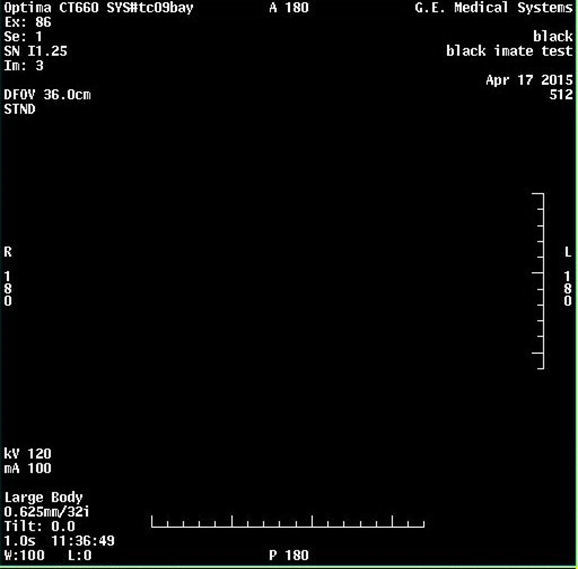
If the NaN value is in csv file, repeat to run “Mini check” in FRDM Wizard again to create correct cal. vector.
2.4 How to check Z Alignment Data
The Data used for FRDM Wizard Z alignment plotting is saved in /usr/g/service/state directory.
-
modpos.asc This is for absolute module position plotting (Plot #1)
-
mdmd.asc This is for relative module position plotting (Plot #2)
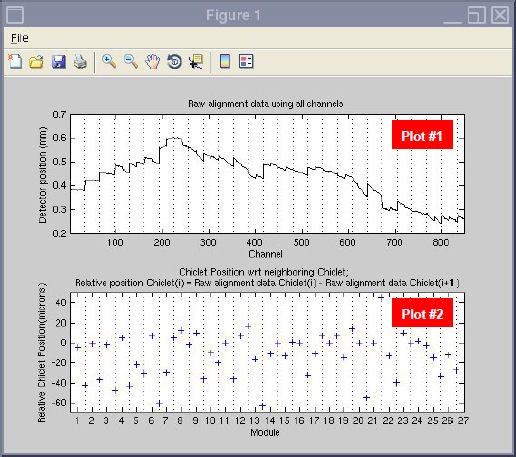
These are text files. If you open the files by Excel, you can easily obtain the alignment plotting.
Only the latest z-alignment result is saved in the system.