- Topic ID: id_18480314
- Version: 3.0
- Date: Apr 22, 2019 12:56:08 AM
Troubleshooting Information for Image Browser Blue line issue
1 Applicability:
-
Optima CT660 13HW38.14 and 15HW13.7
-
Revolution EVO 14HW17.4 and 15HW13.7
-
LightSpeed 7x VCT with GOC6.6 (VCT Freedom) 13HW31.8
2 Problem Description:
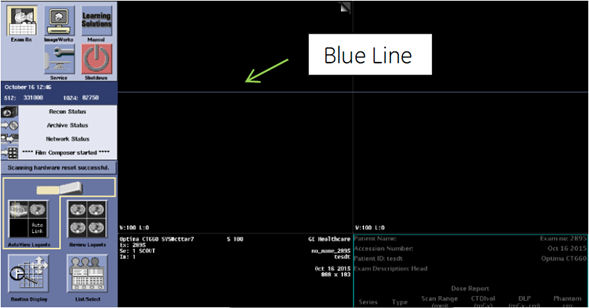
Sometimes image browser on the ExamRx does not show up, but blue line is displayed. Customer will need to restart the system for the recovery.
Figure 1. Blue Line on Image Browser
3 Resolution:
The following procedure provides the workaround for this issue. This will create a script which can be used when the image browser blue line issue happens.
-
Open a Unix shell, and type the following to create SHOWBROWSER script.
-
cd /usr/g/scripts Enter
-
vi SHOWBROWSER Enter
-
-
Copy the following lines to SHOWBROWSER file – Press [ i ] key to become insert mode
-
Save the file - Press [ESC] key , then type :wq! (colon-w-q-!)
-
Type: chmod +x SHOWBROWSER Enter
-
Close a Unix shell.
4 How to use SHOWBROWSER :
If the image browser becomes blue line on Exam Rx desktop, perform the following procedure.
-
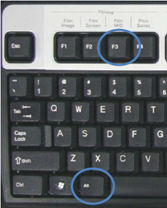
Press ALT key and F3 Key together.
Figure 2. [ALT] key and [F3] Key
-
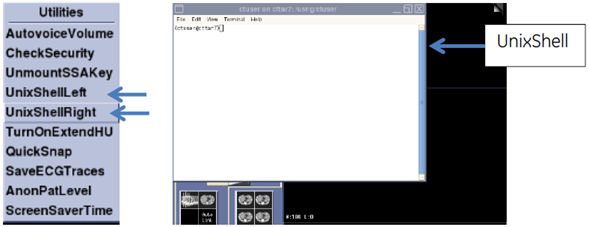
Open unix shell by clicking “UnixShellLeft” or “UnixShellRight” on Utilities menu.
Figure 3. Utilities Menu
-
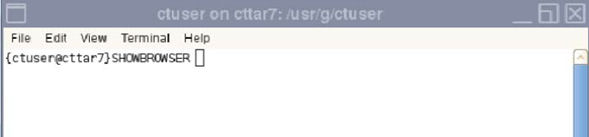
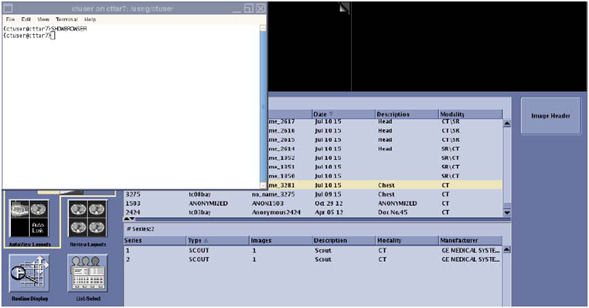
Type: SHOWBROWSER Enter
Figure 4. Typing SHOWBROWSER
-
After typing SHOWBROWSER command, image browser shows up.
Figure 5. Image Browser
-
Close the Unix shell.