- Topic ID: id_16157629
- Version: 3.0
- Date: Jun 10, 2020 2:24:30 AM
Xtream Display Patient Information
Prerequisites
Overview
This procedure provides steps for Xtream Display Patient Information setting change.
1 CSD -> Configuration -> Patient Information on Xtream Display
Procedure
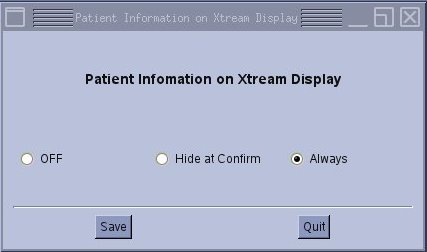
- This is the setting of patient information display hide timing.
-
OFF: Patient information is not displayed anytime.
-
Hide at Confirm: Patient information will be hidden when Confirm button is pressed.
-
Always: Patient information will be hidden at End Exam.
Figure 1. Patient Information on Xteam Display menu (on CTT OS system)
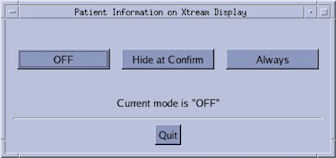
Figure 2. Patient Information on Xteam Display menu (on SUSE OS system)
-
2 CSD -> Configuration -> Patient Information on Xtream Display (with One-Stop Scanning option)
Procedure
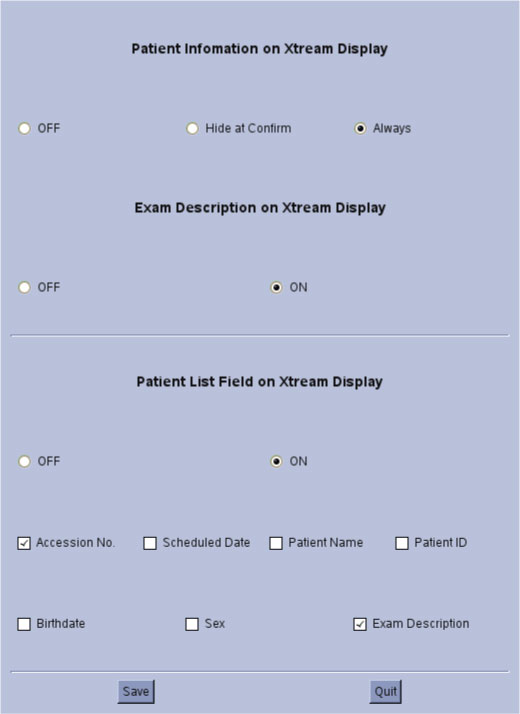
- Patient Information on Xtream Display will have additional fields
when One-Stop Scanning option is installed. The upper portion is same
as original setting. The lower portion has the setting of One-Stop
Scanning display contents.
Figure 3. Patient Information on Xtream Display
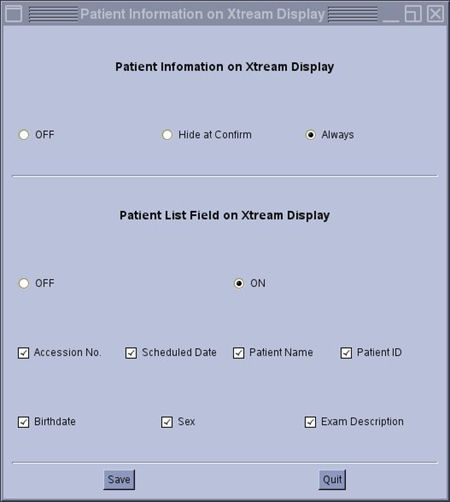
Figure 4. Patient Information on Xtream Display (17BW24.x later)
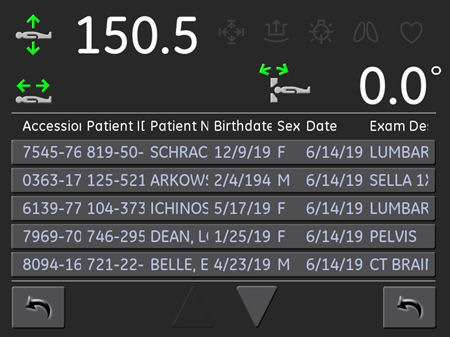
- The setting will be affected to Xtream display as shown in the
following Illustration. Patient List field can be set to On/Off totally,
and set to On/Off by each parameter.
Figure 5. The setting on Xtream Display
3 Finalization
No finalization steps.