- Topic ID: id_16158016
- Version: 4.0
- Date: Jan 20, 2020 8:36:02 PM
Xtream Display Default Patient Positioning
Prerequisites
Overview
This procedure provides steps for default patient position setting change.
Procedure
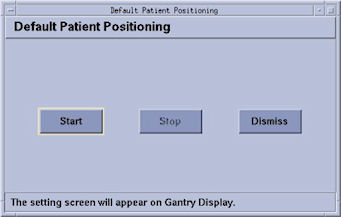
- This menu starts the setting of default patient position (Table
height and Cradle position). This tool is run on Xtream Display.
Customer can set 5 kinds x 2 (HF/FF) default setting. Three of
them can be displayed and they are selectable by customer. (via Tool
menu).
Figure 1. Default Patient Positioning menu
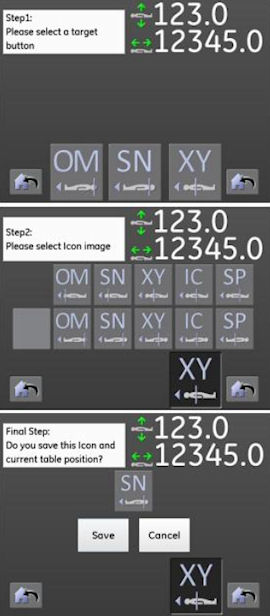
- As shown in the following Illustration, there are three steps
to set the Default Patient Positioning. Pressing “Save”
button will keep the customized setting. Finally press Stop and Dismiss
at CSD menu.
Figure 2. Default patient positioning setting menu on Xtream Display
Finalization
No finalization steps.