- Topic ID: id_16157490
- Version: 1.0
- Date: Jul 7, 2018 4:43:10 PM
TGPG Replacement
Prerequisites
Overview
Procedure
- Remove the gantry right side cover.
- Turn OFF Axial Enable, HVDC, and 120VAC switches on the Service Switch panel.
- Remove the gantry left side cover and TGPG cover.
- Mark and disconnect cable connectors from the TGPG board.
Figure 1. TGPG
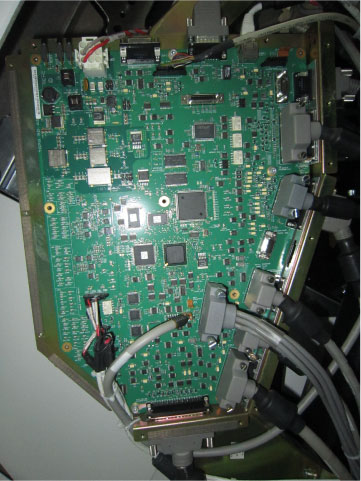
- Remove the TGPG board by unscrewing its ten M4 screws.
- Get the new TGPG board and secure it.
- Reconnect the cable connectors removed in Step 4.
- Power up everything except the gantry. Before powering ON the
120VAC gantry power, assure that the Flash download procedure successfully
downloads the TGPG firmware from the OC.
Open a shell (terminal) window on the console and type the following:
cd /usr/g/fw ENTER
touch tgpFtp ENTER
- Turn on Axial Enable, HVDC, and 120VAC switches on the Service Switch Panel and press the E-stop reset.
- Execute Flash download query and update
- Restore the gantry to original configuration.
Finalization
Perform System Scanning Test to confirm that the system is working normally.