- Topic ID: id_16158023
- Version: 2.0
- Date: Nov 7, 2019 8:55:01 PM
Resetting the C-Pulse
Prerequisites
Overview
Procedure
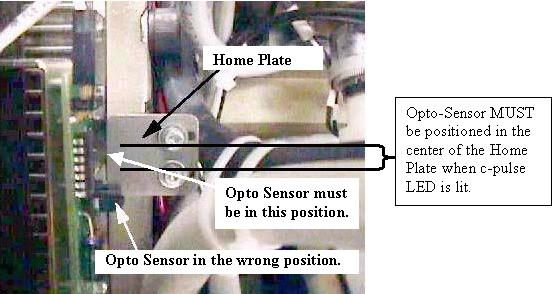
- Rotate the gantry until the opto-sensor is in the center of the home
plate. See Figure 1 for example
of Good and Wrong sensor locations on the Home Plate.
Figure 1. Home Plate Passing Through Opto-Sensor Window
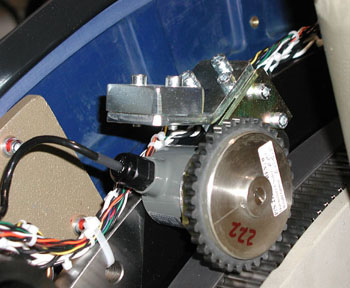
- If the c-pulse does not flash or light up, verify that the home plate
is in the center of the opto-sensor, and lift as well as rotate the encoder
gear assembly one tooth at a time in each direction until the c-pulse lights
up (see Figure 2 ). If the c-pulse
is not lined up with the center of the home plate, images may appear slightly
tilted or rotated.
Figure 2. Encoder
Finalization
No finalization steps.