- Topic ID: id_11038827
- Version: 4.0
- Date: May 22, 2020 4:02:49 AM
NIO16 Host Computer (Z820) GPU Card Replacement
Prerequisites
Overview
This procedure shall be followed when replacing the GPU Card in the NIO16 host computer (Z820).
Procedure
- Select one of the following methods to Power OFF the Operator
Console:
- If Applications are up, click on the Shut Down button and select Shutdown.
The Operator Console monitor will display a 'Power Down' message when it is acceptable to power OFF the Operator Console.
- If Applications are down, open a Unix Shell. Type: halt.
- If Applications are up, click on the Shut Down button and select Shutdown.
- Power OFF the console at the front panel switch when ‘System Halted’ message is displayed.
- Remove the left side and rear covers from the console.
Refer to
- Remove the following components sequence:
-
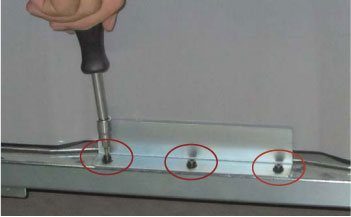
Remove the Side Access Panel by unscrewing its three screws
-
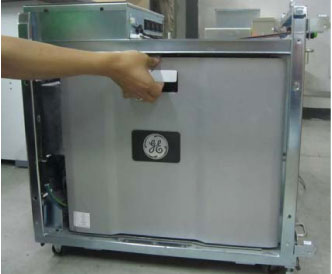
Pull out the latch to release the left Side Cover of Host Computer
-
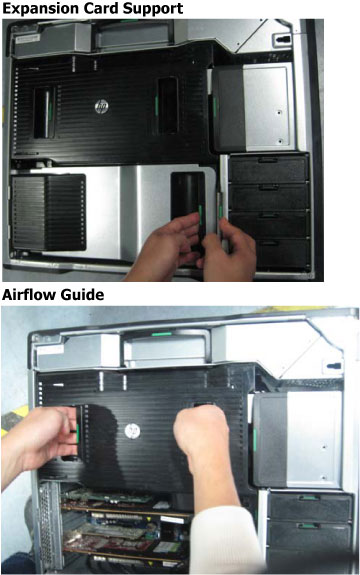
Remove the Expansion Card Support and Airflow Guide
-
Pull the handle of right side of the Expansion Card Support.
-
Hold two handles of Airflow Guide, pull out vertically.
-
-
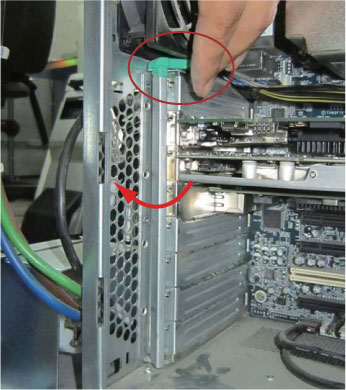
- Open PCI card retention clamp as follows:
- Press lever of the retention clamp to unhook.
- Rotate the retention clamp, and open it shown as below illustration.
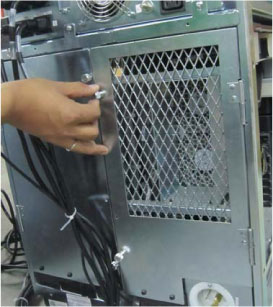
- Open the back side cover by unscrewing its two screws.
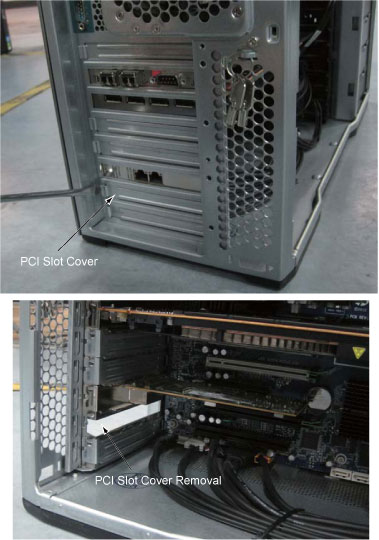
- Remove PCI slot cover from back side shown as below illustration.
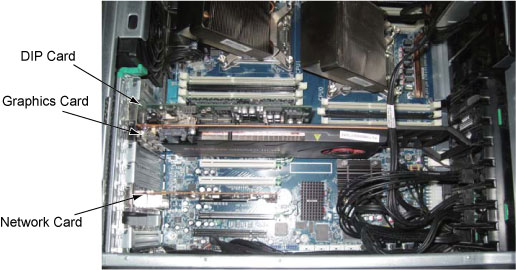
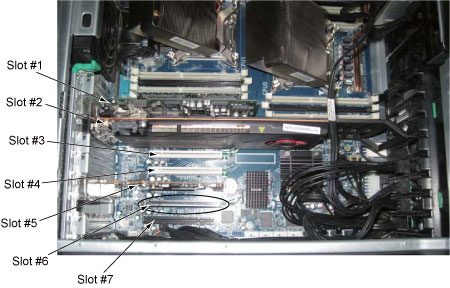
- Install the FirePro W7000 GPU Card to the slot #6 as follows:
Figure 1. GPU Card Location
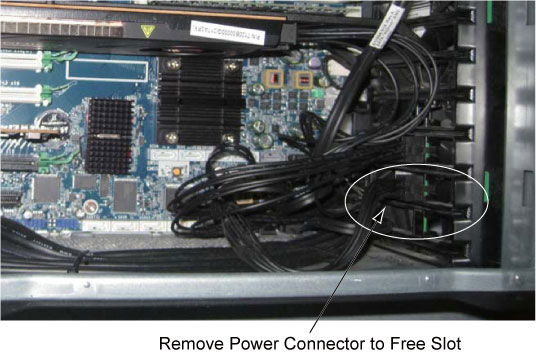
- Remove the power connector from the bracket to free the second
slot as follow
- Carefully push the GPU card in the slot and avoid cables interference.
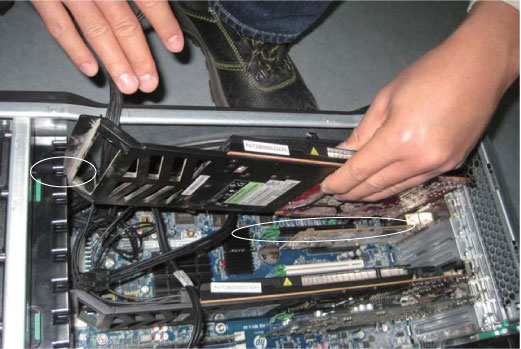
Figure 2. Insert GPU Card in the Slot
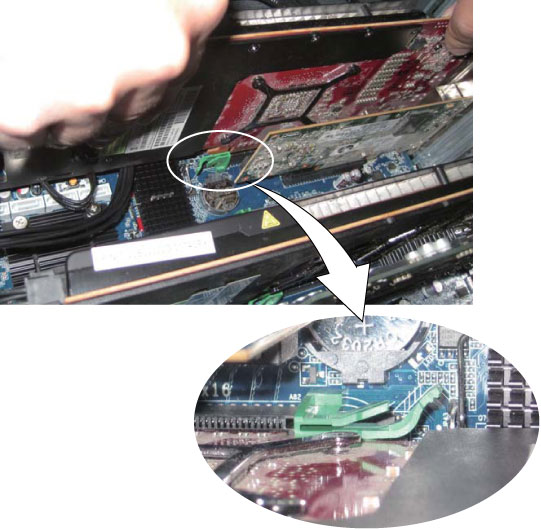
- Connect the power cable disconnected in Step 6.a to the GPU
card.
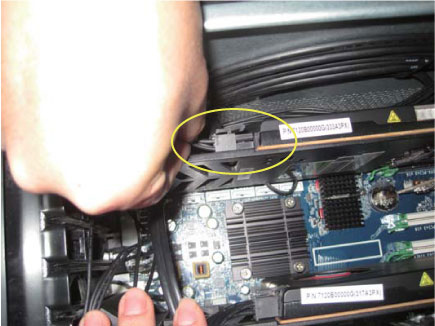
- Remove the power connector from the bracket to free the second
slot as follow
- Close the PCI card retention clamp.note: If the PCI card retention clamp levers do not close, make sure that all cards are properly seated, and then try again.
- Reinstall the Expansion Card Support and Airflow Guide
- Reinstall the computer left side cover and the side access panel. Reinstall the console left side cover by screwing its four screws.
- Close the console back side cover.
Finalization
- Power on console and open a shell, then type:
cat /proc/ati/1/biosversion
- Check the result shown as below:
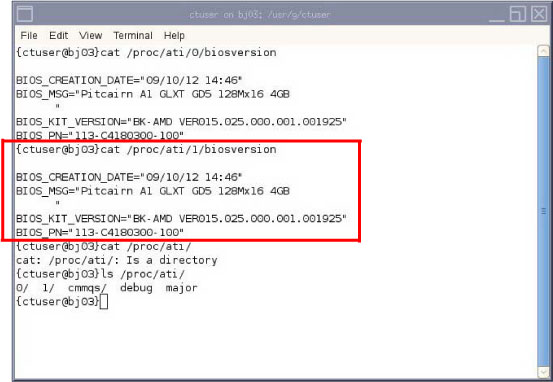
- Refer to System Scanning Test to confirm proper operation.
- Reinstall the console covers.