- Topic ID: id_16158118
- Version: 3.0
- Date: Apr 9, 2020 8:42:27 PM
HOT ISO Alignment
Prerequisites
Overview
1 Accessing the Software
Procedure
- Select SERVICE DESKTOP.
- Select CALIBRATION.
- Select HOT ISO ALIGNMENT.
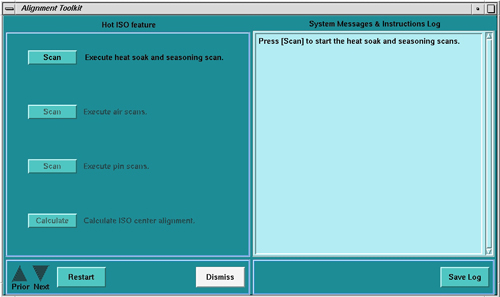
Figure 1. HOT ISO Screen
2 SmarTube™ Setup
Perform Tube Installation Certification, if needed. Refer to SmarTube™ Setup.
3 Adjustment Procedure
Procedure
- Execute the Heat Soak and Seasoning scan.
- Execute Air Scan (small spot).
- Execute Air Scan (large spot).
- Place the 1/8 inch screw driver on the phantom holder (should be pointing into the Z direction).
- Execute Pin Scan (small spot).
- Execute Pin Scan (Large spot)
- Calculate correction factor with Calculate button.note:
No movement of the tube is required. This is a software correction done automatically.