- Topic ID: concept_bbc_sdl_53b
- Version: 3.0
- Date: Jun 10, 2020 2:22:52 AM
Equipment Service - Open Console
1 Overview
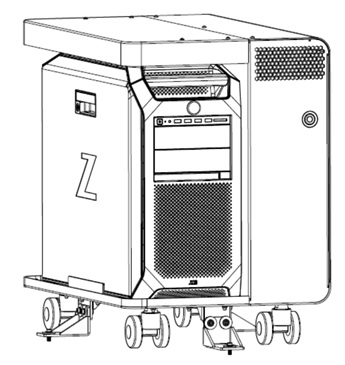
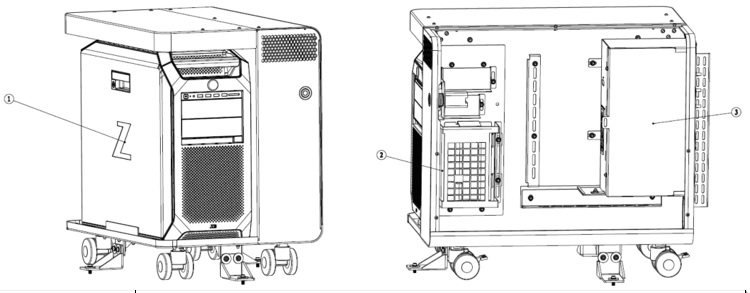
This guide discusses Open Console access and lifting. It describes and illustrates steps to aid in the removal and installation of the components in the chassis. By following these guidelines, the risk for injury from lifting heavy computer components will be minimized and allow for a single engineer to safely complete these tasks.
Figure 1. Open Console and FRU Components
 |
|
2 Open Console Service Access Preparation
-
If applicable, remove any seismic mounting brackets that may be holding the Open Console chassis to the floor. The chassis has wheels located on the base of the cabinet to allow it to be repositioned (if necessary) for service access.
-
Apply LOTO to Open Console.
-
Remove the chassis covers as required. Refer to instructions from the procedure list for detailed instructions. Unobstructed access should now be available to the Open Console components.
Figure 2. Cover Removal 1 – Open Console Chassis
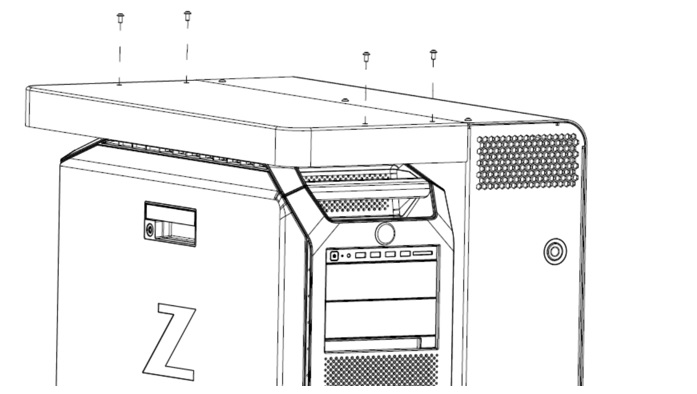
Figure 3. Cover Removal 2 – Open Console Chassis
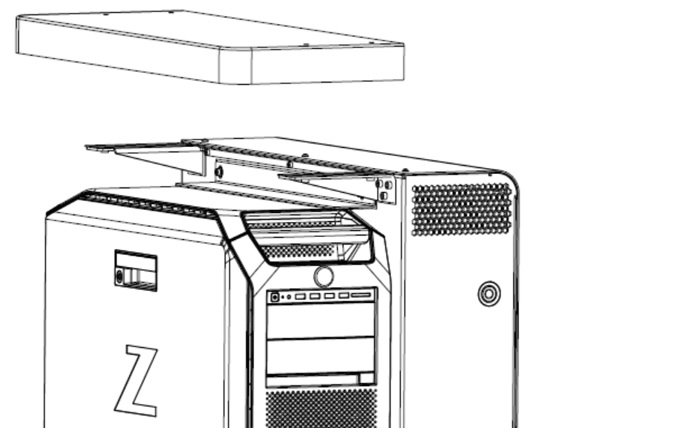
Figure 4. Cover Removal 3 – Open Console Chassis
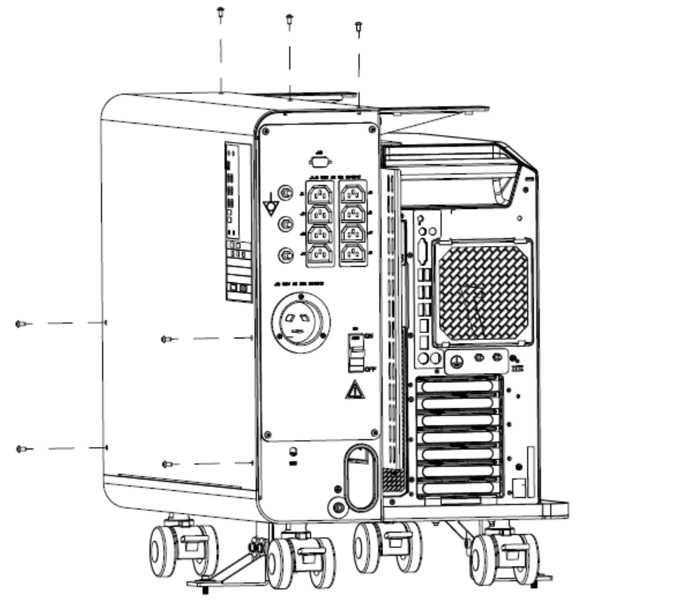
Figure 5. Cover Removal 4 – Open Console Chassis
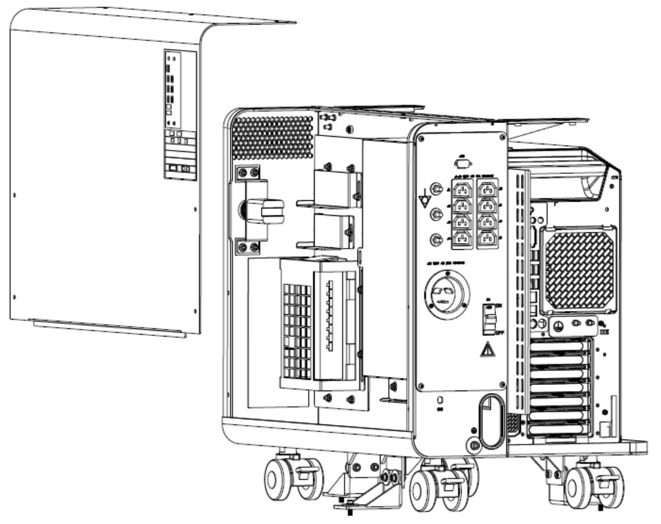
3 Open Console Components Weights and Warnings
This section describes the approximate weights of the Upper Level FRU components and warnings for those components that weight in excess of the general EHS guidelines. Lower Level FRUs are generally not shown, for they do not exceed weight guidelines.
3.1 Open Console Computer
 |
|

3.2 Open Console Components Weights
4 Open Console Service Access and Lift Assist Recommendations
4.1 Open Console Service Access
-
Access to the front, rear and left side of the chassis is necessary for Open Console hardware removal.
-
Access to the rear of the chassis is necessary for Open Console cable interconnects.
-
Reference the procedure of this manual for details concerning mounting hardware and cable interconnects.
4.2 Open Console Lift Assist
-
In the event you believe you are not capable or allowed to lift the heavy computer, request that a second person assist in the computer removal and installation.
-
Otherwise, slide the Open Console partially out the front of the chassis using the two handles built into the front surface of the Open Console. Standing in front of the Open Console chassis, firmly grasp the top handle on the computer that is clear of the chassis. Continue sliding the computer out the front of the chassis until the top back handle is clear of the chassis. With the second hand firmly grasp the top back handle and lift the computer away from the chassis and set aside.