- Topic ID: id_15460378
- Version: 3.0
- Date: Jun 15, 2020 11:00:59 PM
MOD Peripheral Tower Replacement
Prerequisites
Overview
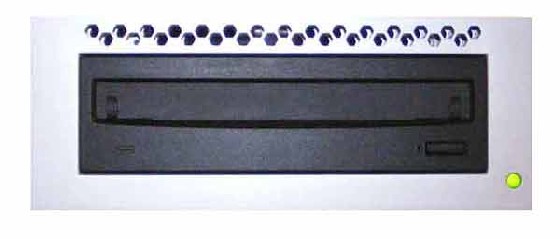
This procedure describes and illustrates the steps necessary to replace the MOD Peripheral Tower.
Figure 1. MOD Peripheral Tower
1 Power-Off (Shut Down) the Console
Procedure
- Select one of the following methods to power off the Operator
Console:
-
If applications are running, click the Shut Down icon and select Shut Down.
-
If applications are down, open a Unix Shell using the Toolchest. Type: {ctuser@hostname} halt. Press Enter.
The Operator Console monitor will display a ‘System Halted’ message when it is acceptable to power off the Operator Console.
-
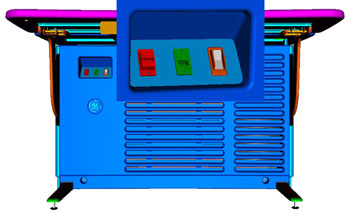
- Power OFF the Operator Console at the front panel switch. (See Figure 2.)
Figure 2. Console Power Switch
2 Remove Old MOD Peripheral Tower
Procedure
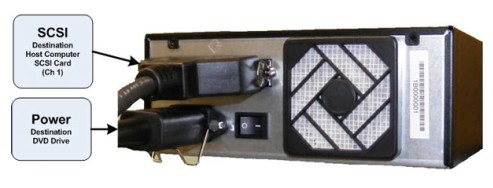
- Remove the SCSI cable connection from the back of the MOD Peripheral Tower chassis being replaced.
- Remove the power cord at the rear of the MOD Peripheral Tower chassis.
- Remove the MOD Peripheral Tower and set aside.
3 Install Replacement MOD Peripheral Tower
Procedure
- Place the replacement MOD Peripheral Tower chassis on the Operator Console.
- Mount the power cord to the rear of the MOD Peripheral Tower chassis. Verify that the power switch on the MOD Peripheral Tower Power Supply is turned to the ON position.
- Replace the rear SCSI cable connections.
Figure 3. MOD Peripheral Tower Connections
4 Power-On the Operator Console
Procedure
- Power ON the Operator Console at the console front panel switch.
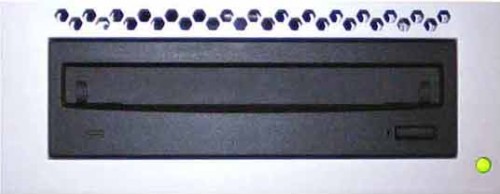
- Visually verify the MOD Peripheral Tower front panel Power LED
is illuminated.
Figure 4. MOD Peripheral Tower Power LED
5 Verify Replacement MOD Peripheral Tower Operation
Procedure
- Visually verify the Peripheral Tower front panel Power LED is illuminated and that each of the MOD Drive Access LEDs illuminates when media is inserted and the tray is closed.
- No other verifications required.
6 Finalization
Refer to Peripheral Tower Functional Test to confirm proper operation.