- Topic ID: id_11038745
- Version: 4.0
- Date: Apr 22, 2019 12:55:42 AM
Liquid Bearing Tube Rotor stop procedure
Prerequisites
1 Tube Rotor Stop Procedure
Procedure
- Start “Rotor Control Tool” under “Diagnostic” tab from CSD menu.
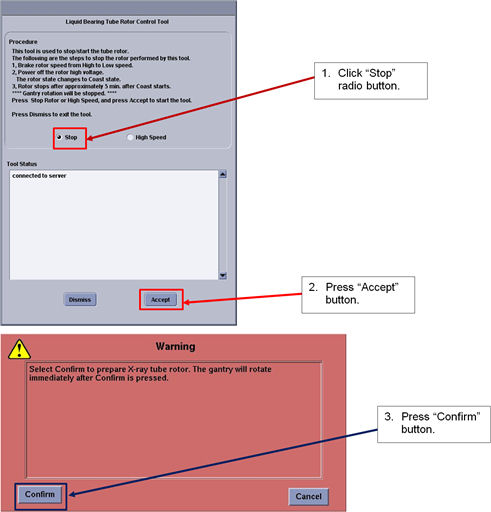
- Check “Stop” radio button and press “Accept”
button. Then press “confirm” to rotate Gantry.
Figure 1. Window - Rotor Control Tool
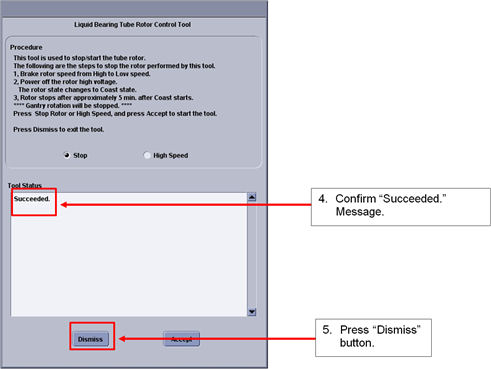
- Confirm that the Tool Status shows “Succeeded” and
press “Dismiss” button to close the tool.
Figure 2. Window - Tool Status
2 Finalization
No finalization steps.