- Topic ID: id_15460935
- Version: 2.0
- Date: Nov 8, 2018 1:39:44 AM
HP xw8400 Hard Drive Replacement
Prerequisites
Overview
This procedure describes the steps necessary to perform HP xw8400 Hard Drive replacement. For preliminary requirements and finalization steps see HP xw8400 Lower Level FRU Replacement.
1 Hard Drive Removal
Procedure
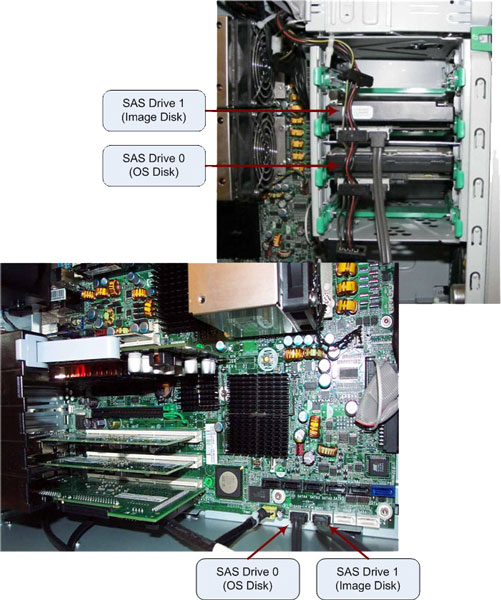
- Disconnect the power and data cables from the suspected faulty
hard drive.
Figure 1. HDD Location in HP xw8400
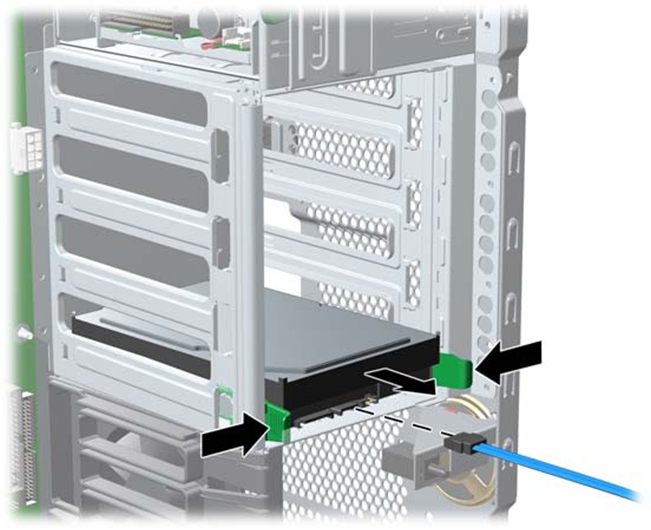
- Push in on the green drivelock rails release tabs and slide
the hard drive out of the chassis.
Figure 2. Hard Drive Removal
2 Hard Drive Installation
Procedure
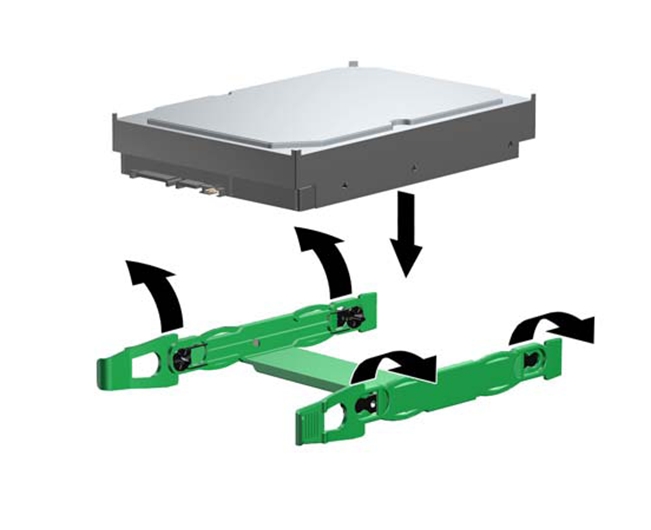
- Remove the hard drive rails from the old hard drive and attach
the rails to the new hard drive by aligning the notches with the holes
on the drive and squeezing it into place.
Figure 3. Hard Drive Rail Installation
- Select a drive bay in which to install the drive.
- Push the drive into the selected bay until it snaps into place.
Figure 4. Hard Drive Installation
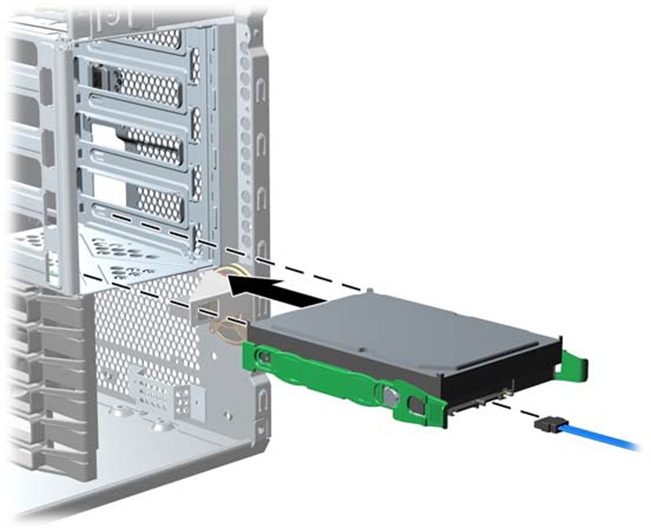
- Attach the power and data cables to the drive.
- Return to the HP xw8400 Lower Level FRU Replacement procedure.
3 Finalization
No finalization steps.