- Topic ID: id_15460715
- Version: 3.0
- Date: Apr 22, 2019 12:55:24 AM
DVD RAM Cartridge Removal
Prerequisites
Overview
This procedure explains how to remove media from a DVD RAM cartridge for use in the Peripheral Media Tower equipped with a single DVD Multimedia Drive.
Procedure
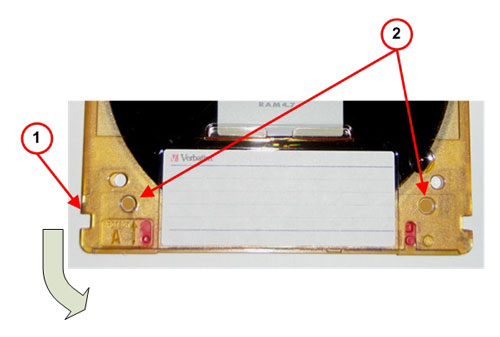
- Remove the 2 Locking Pins as shown in the following illustrations.
Figure 1. DVD-RAM Media (Maxell)
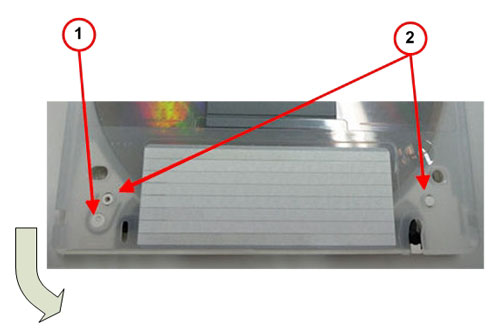
Figure 2. DVD-RAM Media (Verbatim)
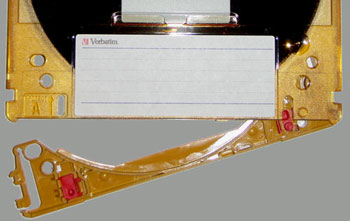
- Push the Release Button and pull out the cartridge lid.
Figure 3. DVD-RAM Media (Maxell)
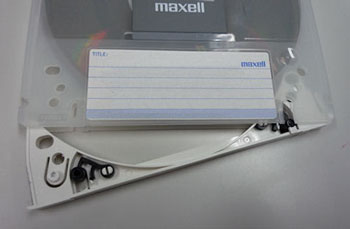
Figure 4. DVD-RAM Media (Verbatim)
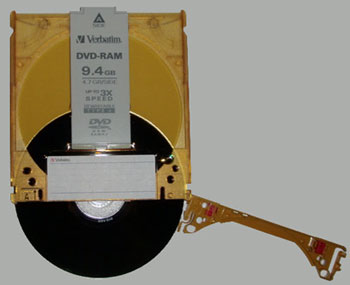
- Remove the DVD-RAM media.
Figure 5. DVD-RAM Media (Maxell)
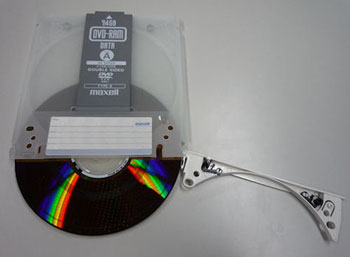
Figure 6. DVD-RAM Media (Verbatim)
Finalization
-
Place bare DVD-RAM media back in cartridge for storage.
-
Close cartridge lid once DVD-RAM media is fully inserted into cartridge.