- Topic ID: id_15460136
- Version: 3.0
- Date: Apr 22, 2019 12:56:07 AM
GOC6.6 / NIO64 Console Network Switch (CNS) Troubleshooting
1 Overview
The following information will assist in confirming if the CNS is experiencing a hardware fault. Although the following is not a complete set of diagnostics, it should be sufficient in determining if the CNS is suffering from hardware issues at the prescribe Field Replaceable Unit (FRU) level.
Figure 1. Console Network Switch (CNS) - GOC6.6
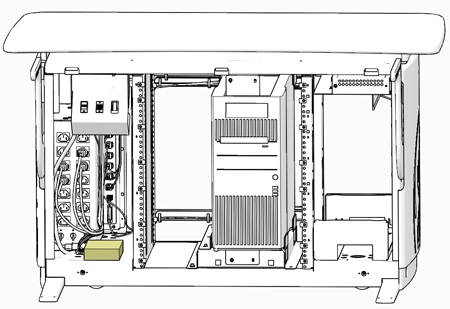
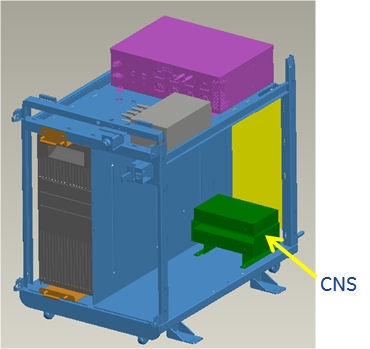
Figure 2. Console Network Switch (CNS) - NIO64
2 CNS General Troubleshooting
Before proceeding with the rest of this procedure, use the following checklist to find possible solutions for CNS problems.
2.1 Power Check
-
Is the CNS powered on?
-
Is the Power LED illuminated?
-
Has Circuit Breaker #1 (CB2) tripped on Power Distribution Box?
-
Is the CNS connected to the electrical outlet on the Power Distribution Box?
2.2 Cable Check
Are all Ethernet Cables properly inserted? Check cable connections at the CNS and at the console rear Bulkhead Panel.
3 CNS LEDs
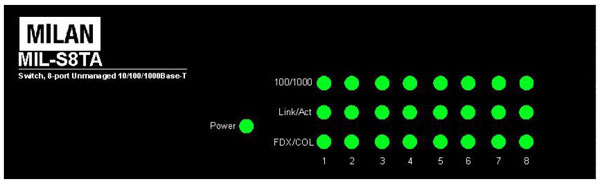
The CNS has LEDs mounted on its front panel to give operational status of the Switch and Ethernet ports.
Figure 3. CNS LED Indicators