- Topic ID: id_18718258
- Version: 2.0
- Date: May 26, 2022 5:58:47 AM
Video Splitter Replacement
Prerequisites
Overview
Procedure
- Attach the Warning label to the Splitter.
Figure 1. Warning Label on the Video Splitter
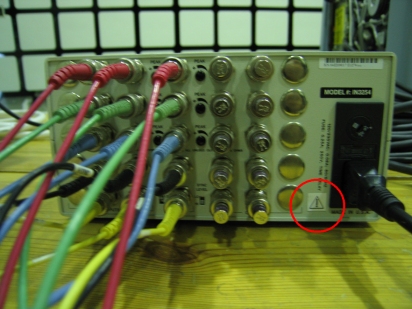
- Disconnect the cables from Splitter and Reconnect to the new Splitter.
Finalization
- Confirm that the Boom-in-room monitor displays OC screen clearly.