- Topic ID: id_11038995
- Version: 2.0
- Date: Jan 30, 2019 9:42:30 PM
Collimator Aperture Tests
Prerequisites
This module is to run the “Collimator Aperture Test” procedure, which performs a scan at each aperture and compares the average collimator aperture against a nominal aperture for that scan mode. All data collections and calculations are performed with Z-Axis Tracking On.
Procedure
- Move the table away from the gantry and remove any objects from the detector field of view.
- On the console select the DIAGNOSTICS tab in the common service desktop.
- Launch the COLLIMATOR APERTURE TEST.
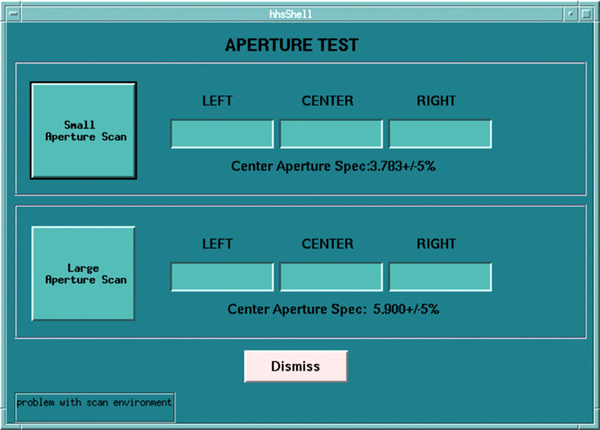
-
Small Aperture Scan
This button will launch the process, which includes scanning, and post the appropriate results in the Left, Center, Right windows.
-
Large Aperture Scan
This button will launch the process, which includes scanning, and post the appropriate results in the Left, Center, Right windows.
-
Finalization
No finalization steps.