- Topic ID: id_18718083
- Version: 1.0
- Date: Sep 20, 2018 2:04:09 PM
CTPM-1706 (Tighten Motor Coupling Screws)
Prerequisites
Overview
Procedure Effectivity:
Procedure
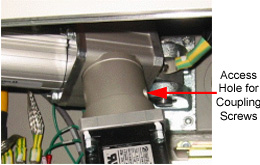
- Illustrations for the Old and the New type Actuators are shown below:
Figure 1. Old Type Actuator
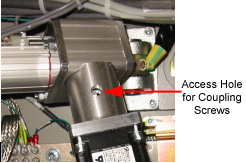
Figure 2. New Type Actuator
- Remove the Gantry right side cover.
- Turn off 120VAC on the Service Switch Panel.
- Remove the table right Base Cover, and then the left Base Cover.
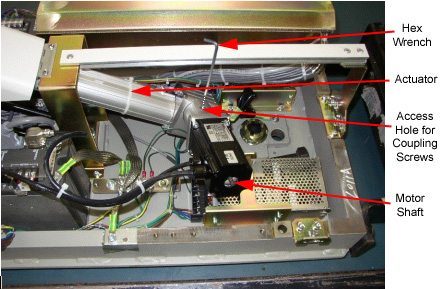
- Locate one coupling (hex) screw through the access hole, turning the
motor shaft, using a socket wrench. See Figure 3.
Figure 3. Locating Hex Screw and Turning Motor Shaft
- Insert the longer rod of the 5/64 inch wrench to the screw.
- Tighten the screw, turning the shorter rod of the wrench by hand. Tighten firmly, but avoid over-tightening.
- Tighten another screw, after locating it by turning the motor shaft. (There are two coupling screws used.)
- Reinstall the Base Covers.
note:
The motor coupling screws of the old type actuator can be loosened, during table upward/downward operation of some period, resulting in inability of upward/downward operation. This procedure will prevent this, by re-tightening the screws.
Finalization
No finalization steps.