- Topic ID: id_11039033
- Version: 3.0
- Date: Apr 9, 2020 8:42:01 PM
CBF/SAG Alignment Process
Prerequisites
CBF/SAG Alignment ensures the focal spot is accurate, the bowtie filter is centered and center of rotation is in a straight line.
Figure 1. CBF Procedural Flow
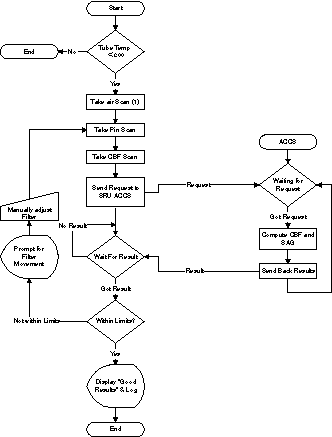
note: For a larger version of the above illustration, click on the pdf icon below:
Figure 2. CBF Procedural Flow
CBF Flow.pdfnote: When performing alignments, wait at least 15-30 minutes between scans to prevent unnecessary adjustments.
1 Accessing the Software
Procedure
- Select SERVICE DESKTOP.
- Select CALIBRATION.
- Select CBF AND SAG ALIGNMENT.
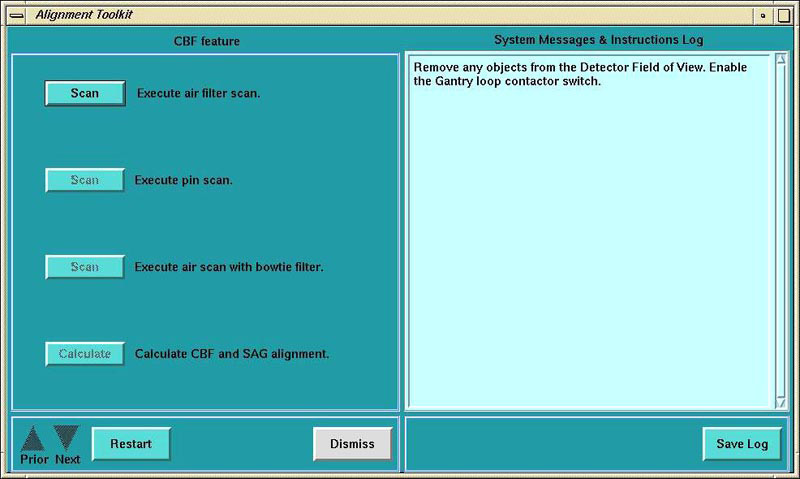
Figure 3. CBF/SAG Alignment Program Screen
2 Adjustment Procedure
Procedure
- Click on the SCAN button to execute air filter scan.
- Place the 1/8 inch screw driver on the phantom holder (should be pointing into the Z direction).
- Execute pin scan.
- Execute air scan with bow-tie filter.
- Click on the CALCULATE button to calculate the CBF and SAG alignment.
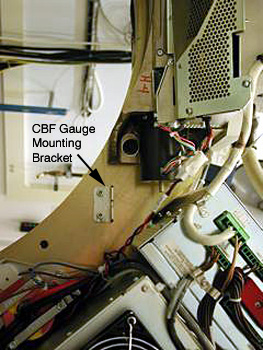
- Mount indicator onto the lower dial mounting bracket (Figure 4). Make sure that you zero the Dial Indicator.
- Rotate the Gantry to place the tube at the 3 o’clock position.
Figure 4. CBF Dial Indicator
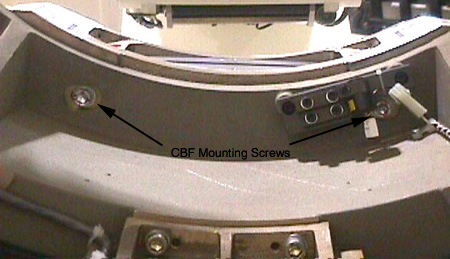
- Loosen the six (6) M14 collimator cap screws. Four (4) cap screws are
on the front side of the collimator. (One cap screw is behind the cable connections.
Use a swivel adapter for ratchet wrench.) Two (2) cap are screws on the rear
(through the rotating base casting). See Figure 5.note: Be careful not to move the laser light. If you do, you will need to re-align the lights.
Figure 5. Collimator CBF Rear Mounting Screws
- Adjust the Collimator as indicated by the results of the calculation. (Ignore the negative sign in front of the adjustments.)
- Tighten the Collimator.
- Re-scan and calculate.
- Proceed to the next step if the adjustment is within limit, otherwise jump to step 8.
- Torque all six (6) M14 cap screws to standard torque value.
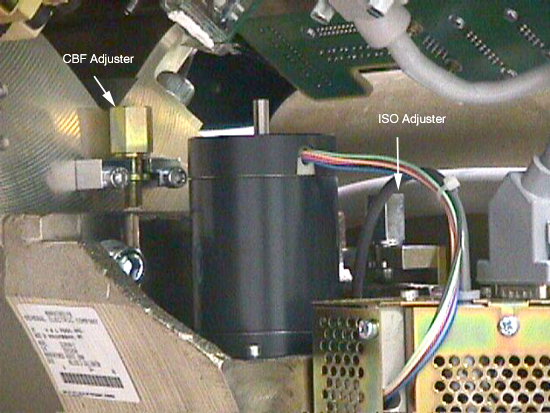
Figure 6. CBF Adjuster Location