- Topic ID: concept_e5k_flm_blb
- Version: 2.0
- Date: Jun 10, 2020 2:25:40 AM
System Time Adjustment
1 Overview
Use this procedure to adjust the system time.
2 Procedure
- From the Display Monitor, click the ImageWork icon.
- On the Tool Chest, click System Time Adjustment.
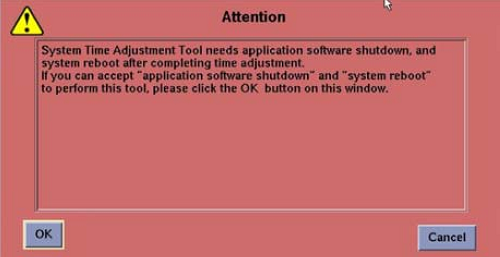
- As this tool needs Application software shutdown, if you proceed to the system time adjustment, click OK.
Figure 1. System Time Adjustment Tool attention
- The System Time Adjustment Tool screen is posted.
Figure 2. System Time Adjustment Tool screen
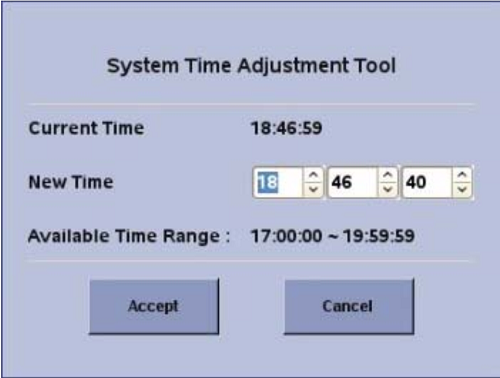
- Set new time by using arrows or manual input from the keyboard.
- Click Accept to exit.
- New Time needs to be in the Available Time Range. If it is outside of the range, another popup window will be posted. Click Accept to exit.
Figure 3. Attention screen

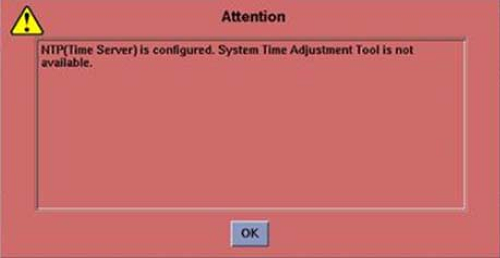
- If the system is connected to NTP Server, next popup window will be posted.
Figure 4. Attention screen